 Lead Airo
Lead capture forms
Build forms without code, embed them on your website or share them with a link or QR code. Every submission becomes a lead instantly, with spam protection built in.
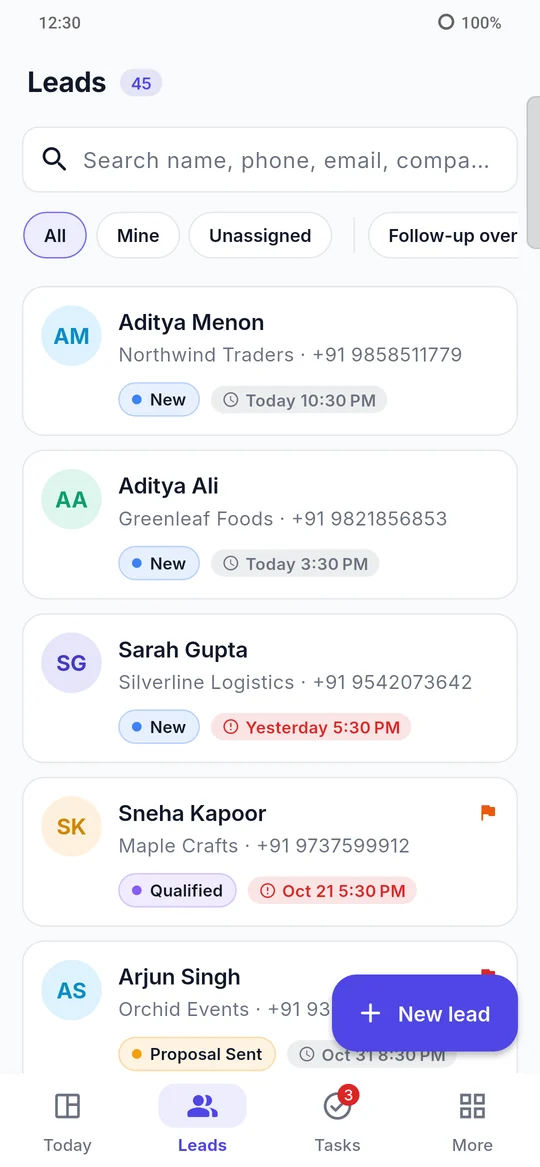
Lead Airo brings your enquiries from website forms, spreadsheets and phone calls into one place, hands each lead to the right salesperson, and reminds your team to follow up, on the web and on their phones.
From the first enquiry to the signed deal, every lead has an owner, a stage and a next step.
Build forms without code, embed them on your website or share them with a link or QR code. Every submission becomes a lead instantly, with spam protection built in.
Set up pipelines and stages that match how you sell. Drag leads across a board and see at a glance what is new, qualified, proposed, won or lost.
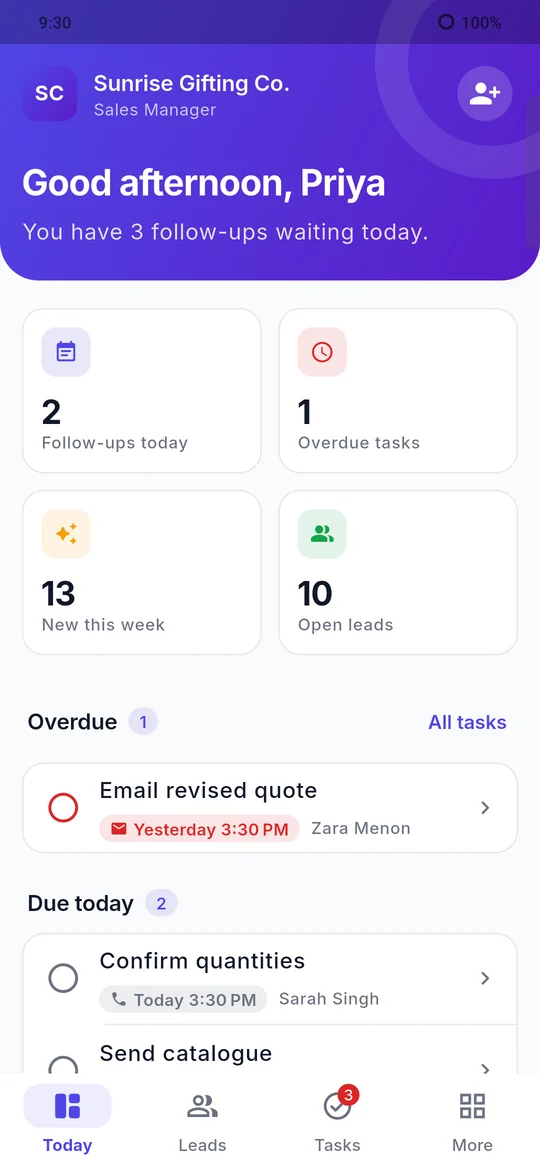
Schedule calls, meetings and emails against each lead. Your team sees what's overdue and due today, and gets a reminder before every follow-up.
Share new leads fairly with round-robin teams, or route them by source, campaign, location or product, so no enquiry waits for an owner.
Decide exactly who can view, edit, assign, import or export leads. Sales executives see their own leads; managers see the whole team.
Track lead sources, pipeline value, conversion and team performance, and export any list to CSV or Excel when you need it.
The Lead Airo app for Android and iOS keeps your team working from the field, between meetings and on the road.
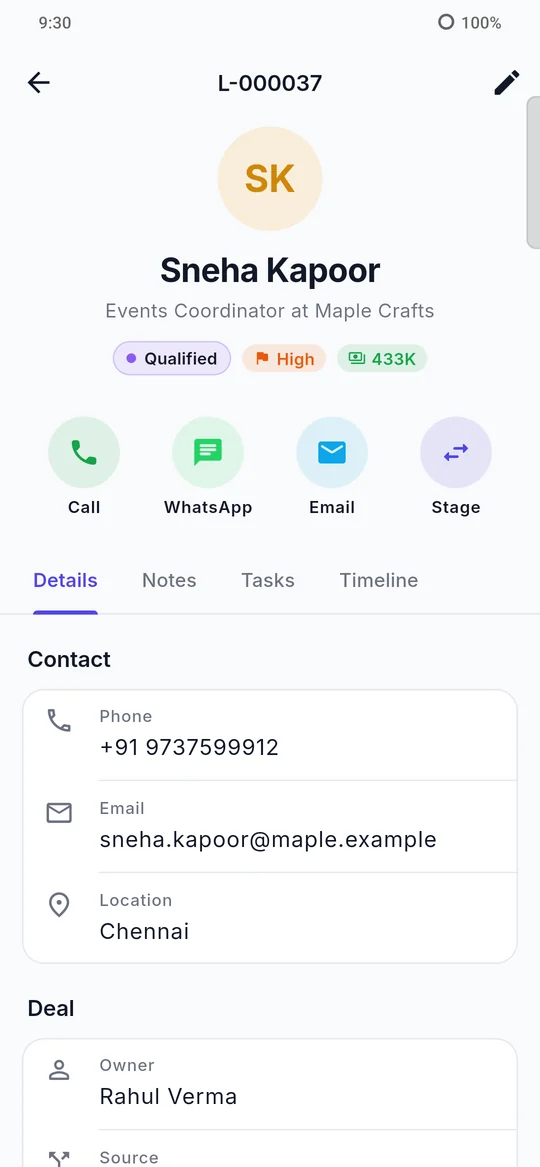
Open any lead and reach them straight away. After a call, the app asks how it went and saves the outcome to the lead's history.
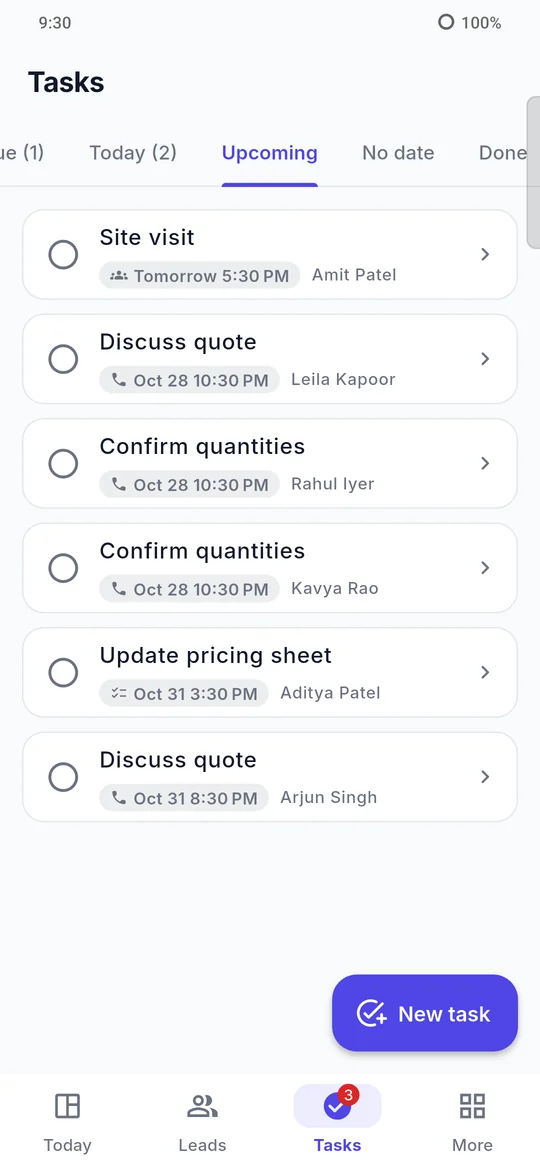
Overdue, today and upcoming tasks are always a tap away, with reminders so the next step happens on time.
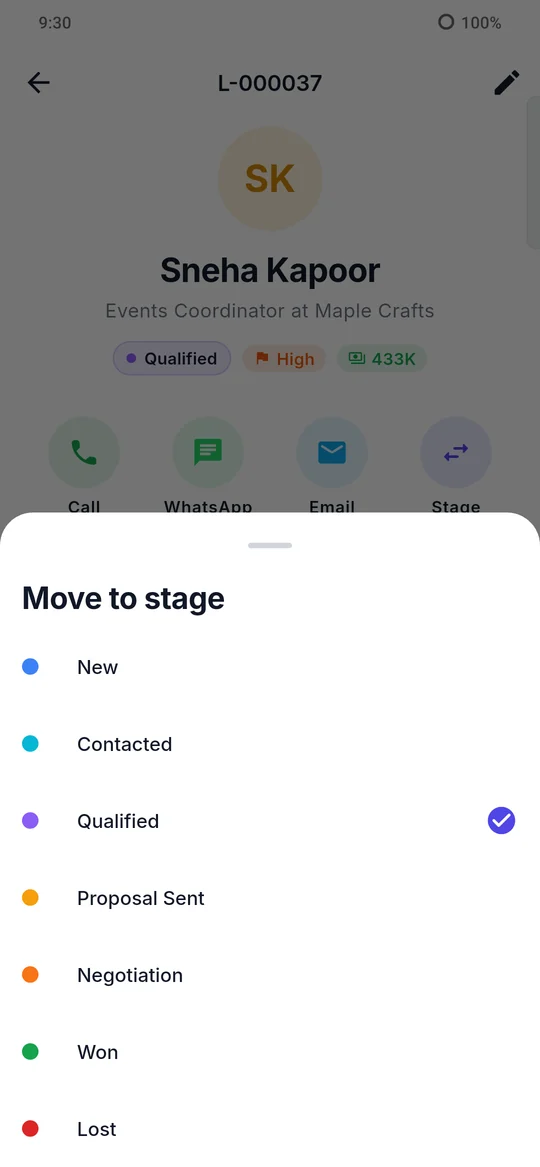
Update a lead's stage the moment something changes, so managers always see an accurate pipeline.
Lead Airo is built for businesses that take their customer data seriously.
Each company runs on its own Lead Airo server address, separate from other customers.
All traffic between the apps and your server uses HTTPS.
Role-based permissions are checked on the server for every request.
Sign-ins and important changes are recorded in a log that can't be edited.
We set up your Lead Airo server with your logo and colours. Add your team, roles and pipeline stages.
Import existing leads from CSV or Excel, publish a form on your website, or add leads from the app.
Leads are assigned automatically, reminders keep follow-ups on time, and reports show what's working.
Yes. Lead Airo has apps for Android and iOS. Your team signs in with the same account they use on the web, after entering your company's server address once.
Yes. Upload a CSV or Excel file and map its columns to Lead Airo's fields, including your own custom fields.
Yes. Your logo and colours appear on the sign-in page, the web dashboard and the mobile app.
On your company's own Lead Airo server. See our Privacy Policy for details on what we collect and how we protect it.
Pricing depends on your team size and setup. Email us and we'll send a quote.
Ask your company's Lead Airo administrator, or follow the steps in our Privacy Policy.
See Lead Airo with your own sales process. We'll walk you through it and answer your questions.